SMS Opt-In Process
Program: Gilded SMS Notifications, operated by Gilded (gildedhq.com).
This page documents how Gilded account holders opt in to receive transactional SMS notifications. Gilded sends SMS only to its own registered account holders — wedding planners who sign up for the Service — about activity on their own account. We do not send SMS to the general public, and we do not send marketing or promotional texts over this program.
Who receives messages
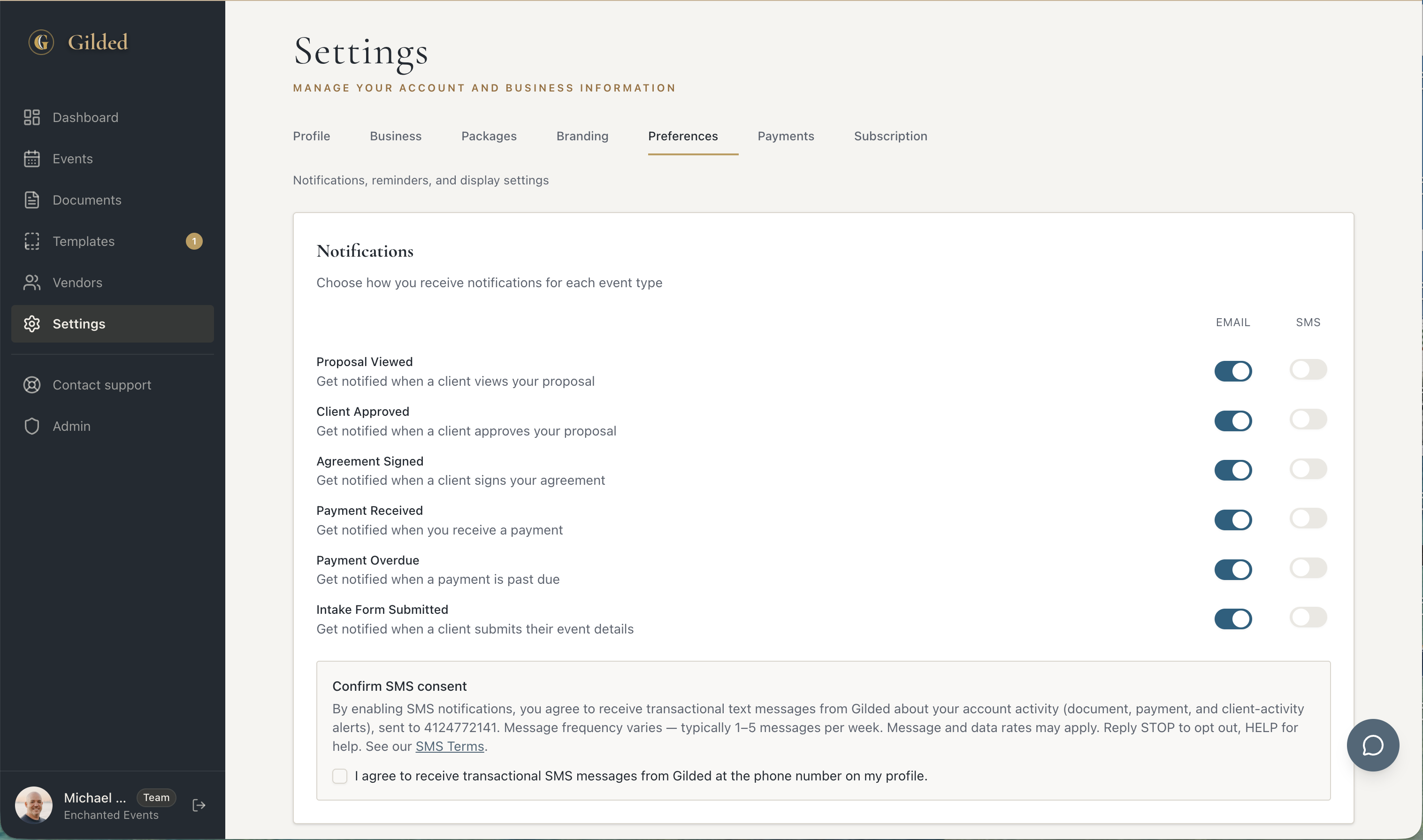
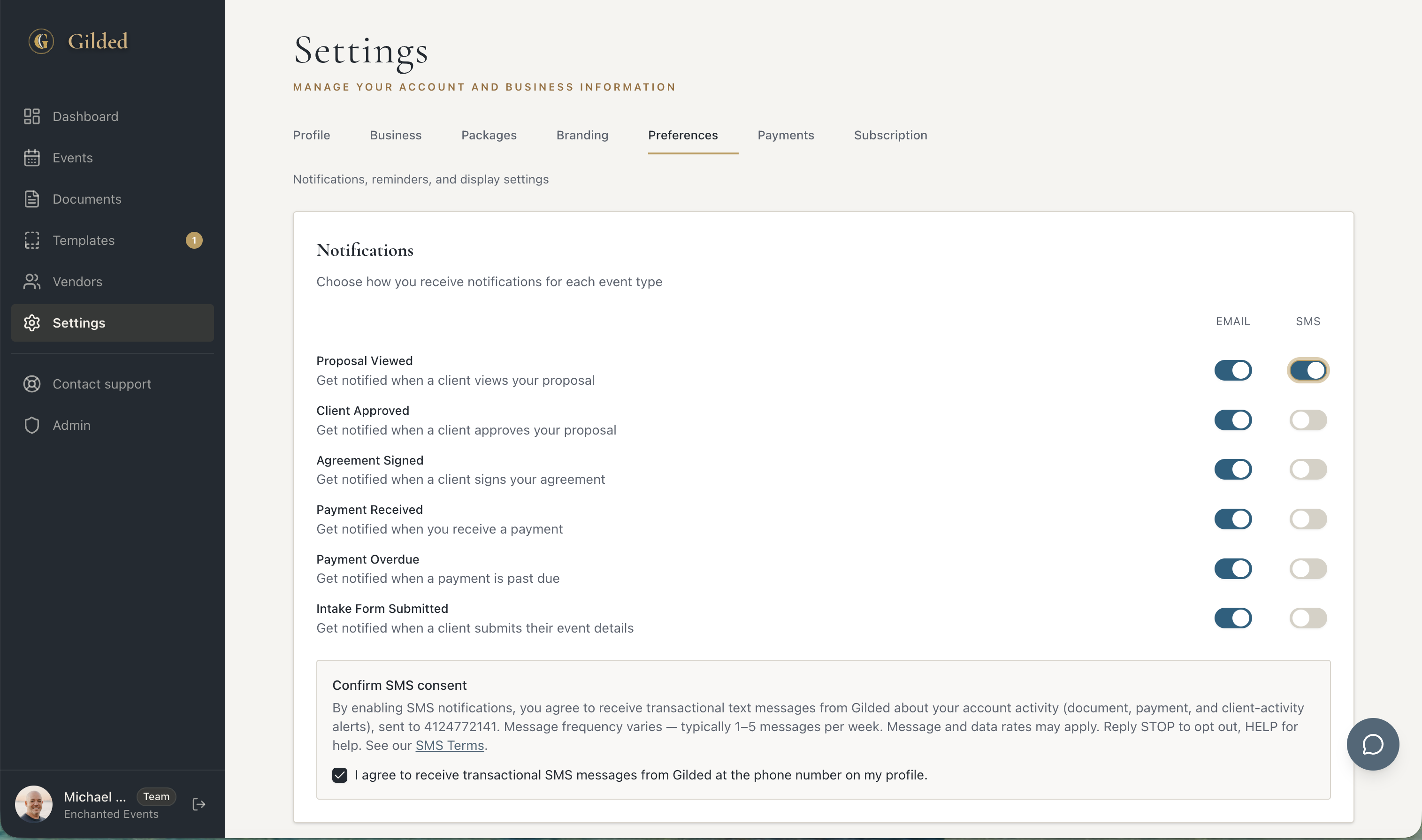
Only a registered Gilded account holder who (1) adds a mobile number to their profile and (2) actively checks the SMS consent box in their account settings will receive text messages. Consent is never pre-checked, and SMS notifications cannot be enabled until the account holder ticks the consent box themselves. Account holders can use the entire Service without ever enabling SMS.
The opt-in steps
The consent disclosure (shown at opt-in)
By enabling SMS notifications, you agree to receive transactional text messages from Gilded about your account activity (document, payment, and client-activity alerts), sent to the number on your profile. Message frequency varies — typically 1–5 messages per week. Message and data rates may apply. Reply STOP to opt out, HELP for help. See our SMS Terms.
The account holder confirms by checking: “I agree to receive transactional SMS messages from Gilded at the phone number on my profile.”
Sample messages
- “Gilded: A client just viewed your proposal for the Johnson wedding.”
- “Gilded: Your agreement for the Smith wedding was signed.”
- “Gilded: You received a $2,000 deposit payment.”
- “Gilded: A payment for the Lee wedding is now past due.”
All messages are transactional and relate to activity on the account holder’s own events.
Message frequency
Frequency varies with activity on the account holder’s events. Most receive between 1 and 5 messages per week; busy periods may produce more.
Message & data rates
Standard message and data rates may apply, charged by your mobile carrier. Gilded does not charge for SMS.
Opting out (STOP) and help (HELP)
Reply STOP to any message to unsubscribe; reply HELP for assistance. Account holders can also turn SMS off at any time in Settings → Preferences.
Privacy
No mobile information is shared with third parties or affiliates for marketing or promotional purposes. See our SMS Terms and Privacy Policy for full details.